
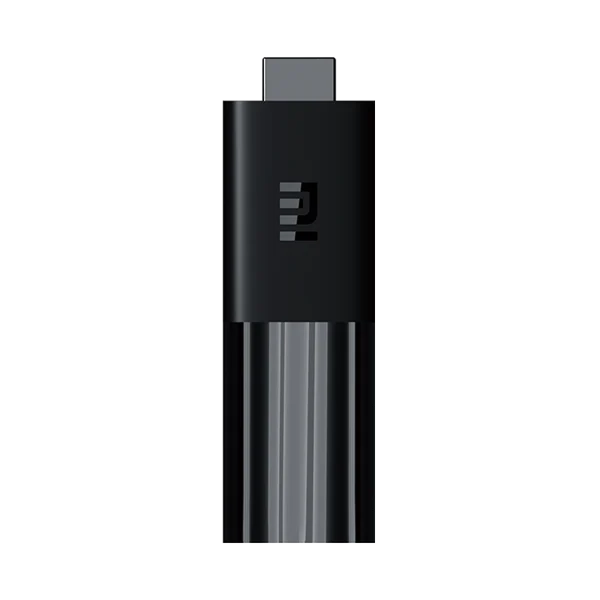
Xiaomi Mi TV Stick · Publisher-documented guidance; UK IPTV account compatibility not tested. Instructions are based on publisher guidance; a UK IPTV account was not tested on this platform.
Observe the startup stage
A blank television input, frozen logo and player crash after the home screen are different failures. Note what appears and whether the television reports a signal. Xiaomi’s no-home-screen guidance concerns the Mi TV Stick itself; it is not a diagnosis of one channel inside a working application. Keeping that boundary clear prevents unnecessary changes to account details while the device cannot start normally.
Check the simple connection chain
The manufacturer recommends checking the original power adapter and cable, restarting and confirming the selected HDMI input. A stick connected to HDMI still needs appropriate power. Avoid changing accounts or reinstalling players before reaching the device interface. Where another suitable display is available, a comparison helps distinguish the stick’s startup problem from one television input. Record the result rather than changing every connection together.
Use recovery for the matching device
The official Mi TV Stick article describes a remote-button recovery sequence and distinguishes clearing cache from factory reset. Verify the model and read its full instructions before trying that sequence. A combination copied from another generation is not a universal procedure. Do not select unfamiliar recovery options simply because a tutorial claims every Xiaomi reset menu is interchangeable.
Preserve a useful escalation record
Record the model, power arrangement, startup screen and any second-display result. If normal startup remains unavailable, use the manufacturer or seller’s support route. Treat reset as a deliberate data-affecting action with recovery details prepared. Failure before the home screen is not evidence that a service price or programme list needs changing. A clear startup record is more useful than repeated account edits on a device that never reaches its application.
Questions, answered
Can these recovery buttons be used on any Xiaomi box?
The source concerns the Mi TV Stick. Check the actual model’s guidance before using a button sequence; a similar name does not make every box and stick recovery method interchangeable.